PractiPix / Download desk

The right build. Ready when you are.

Start free or unlock the complete Pro workflow for 14 days. Choose the installer for this machine, keep your image library local, and decide on a license after PractiPix has handled real work.

PractiPix / Release desk Signed delivery
  1. 01
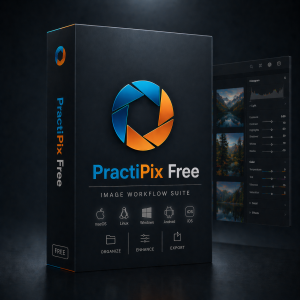
    FreeEssential workflow stays available
    €0
  2. 02
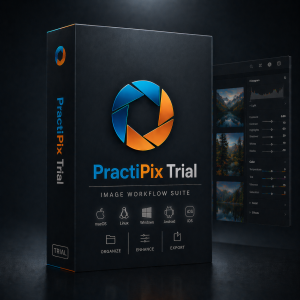
    TrialComplete Pro workflow
    14 days
  3. 03
    LicenseChoose only after testing
    Later
0 current platform builds Your image files stay local
One emailUnlock all currently available installers
14-day Pro trialUse the complete workflow on real work
Private deliveryInstallers use authorized signed links

Choose your build

One unlock. Every available installer.

Enter your email once, choose Free or Trial, then select the operating-system build that belongs on this device. Availability below comes directly from the live PractiPix release catalogue.

  1. 01Unlock onceUse your account email
  2. 02Choose a tierFree or 14-day Trial
  3. 03Pick the platformOnly ready builds activate

After the download

From installer to a working image library.

PractiPix does not force an import into a remote library. Install the correct build, activate the tier you chose, and point the workspace at the folders you already use.

Open installation help
  1. 01

    Keep the key nearby

    Trial downloads pause before launch so you can copy the license key first. The same key is also sent to your email.

  2. 02

    Install the matching build

    Use Native for current Apple silicon Macs, Universal when Intel compatibility is required, or the matching supported mobile build.

  3. 03

    Open real folders

    Test browsing, catalogs, edits, batch work, camera tools, and delivery against your actual workflow rather than a staged demo.

  4. 04

    Choose later

    At the end of the trial, activate Pro or Premium or continue with the Free essentials. Your local image files remain yours.

Download questions

Know what you are installing.

01What is the difference between Free and Trial?

Both use the same installer. Free keeps the essential browse, organize, compare, and adjustment workflow available. Trial unlocks the complete Pro workflow for 14 days so you can test catalogs, camera work, editing, batch tools, and delivery before choosing a license.

02Which macOS build should I download?

Choose macOS Native for current Apple silicon Macs. Choose macOS Universal when you need one installer that supports both Apple silicon and compatible Intel Macs. The download tiles remain disabled when a current build has not been assigned.

03Why does the download page ask for my email?

One email unlocks the available installers and lets PractiPix issue or recover the Trial license key. Signed-in customers skip this step. The download itself is delivered through a private, signed link rather than a permanent public file URL.

04Where can I retrieve a paid installer later?

Open My Account with the email used at checkout. Eligible paid installers, orders, and license details remain attached to that account. Free and Trial installers remain available from this page.

05Does installing PractiPix upload my photographs?

No. PractiPix is designed around local files and folders. The store and download service handle release access and licenses; they do not move your image library into a mandatory cloud catalogue.

Need more than the trial?

Choose a license only after the workflow proves useful.

Compare Free, Pro, and Premium without interrupting the installer you already chose.