

macOS Native
Optimized for Apple silicon Macs and the current native desktop workflow.
The Swiss knife for photographers and designers.
PractiPix store / Platform first
Start with the operating system in front of you, then choose the edition that matches the work. Prices, installer status, and purchase actions below come directly from the PractiPix store.
Choose your platform
Ready builds open the matching store shelf. Platforms marked as coming next remain visible so you can check their current release status without mistaking them for a downloadable installer.
Optimized for Apple silicon Macs and the current native desktop workflow.
One macOS build for both Apple silicon and supported Intel Macs.

Developer preview for one registered iPhone or iPad. Install the signed IPA from a Mac with Apple Configurator.

Debian package beta for supported amd64 Linux computers. Verify the published SHA-256, then install with APT.

Release-signed ARM64 preview for Android 9 or newer. Review, edit, tether, and transfer in the field.

Unsigned x64 test preview for the Windows desktop workflow. Verify the published SHA-256 before installation.
Choose your edition
Every new install can test the Pro workflow for 14 days. Pro and Premium are perpetual licenses, not mandatory monthly subscriptions.
Install PractiPix without placing an order. Your first run includes the Pro workflow so you can test it against real folders, cameras, and delivery tasks.
Open downloadsPrices, currencies, available platform buttons, and cart actions below are live CartOne data. A disabled platform has no current installer.
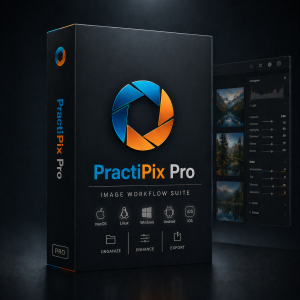
Professional RAW editing, local masks, batch tools, catalog organization, XMP workflows, and supported mobile tethering.
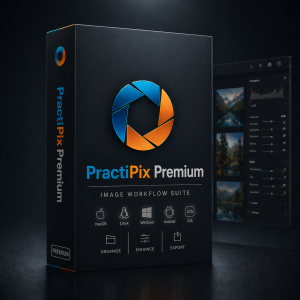
Everything in Pro, plus supported AI automation, OCR, virtual copies, GalleryOne delivery, and desktop-mobile synchronization.
From store to workspace
Start free, prove the complete workflow on your own folders, and pay only when the right platform and edition have earned their place.
Open the build for the computer, phone, or tablet you use today.
Use the 14-day Pro trial before choosing a paid edition.
Choose currency and installer; CartOne keeps the order tied to both.
Use My Account to retrieve orders and available paid downloads.
Store questions
Choose the build for the operating system and processor you use now. Apple silicon users normally choose macOS Native; the Universal build supports both Apple silicon and compatible Intel Macs. Test the selected build before relying on it for critical work.
The platform has a store shelf, but no current installer is assigned to it. You can open the shelf to review its status, but CartOne will keep its purchase or download actions disabled until a release file is available.
No. Start with the Free and Trial download. New installs can use the Pro workflow for 14 days, after which you can activate Pro or Premium or continue with the Free essentials.
After checkout, use My Account with the same email address to reopen paid downloads and review orders. The cart and checkout pages always use the live currency and platform selection from this store.
Still deciding?
Browse your own files, test the tools and current build, then return for the edition that earns its place.
We use essential storage to keep the site working, plus optional analytics and marketing storage only if you allow it.