
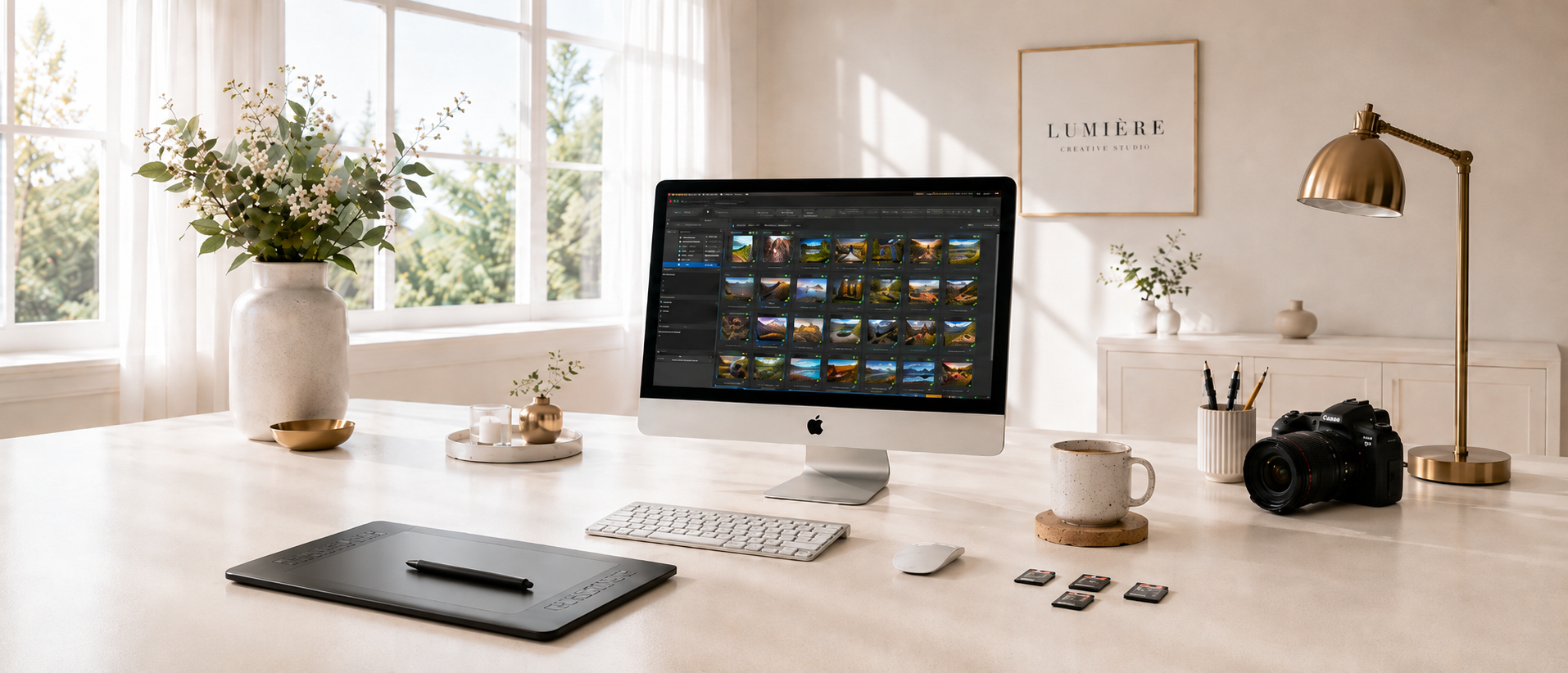



PractiPix gives photographers a fast dual-pane browser for moving through large folders without losing context. You can compare locations, swap panes, and stay focused on selection-based work instead of window juggling.

- Browse one folder in the left pane and a second folder in the right pane at the same time.
- Compare source and destination folders without opening extra windows.
- Swap panes instantly when your review flow changes mid-task.
- Use breadcrumb navigation to jump through deep folder structures quickly.
- Keep the folder tree and thumbnail grid visible together for faster decisions.
- Work comfortably with very large libraries thanks to multi-threaded thumbnail loading.
- Resize thumbnails live so you can switch between overview and detail without changing screens.
- See file-type badges, rank rails, and review badges directly in the grid.
- Keep search and filtering attached to the active browsing context instead of starting over.
- Use the same browser workflow across image, video, and font files.
PractiPix includes a command palette so users can search actions by name, menu path, or shortcut from one place. It helps new users discover the app faster and power users work without hunting through menus.

- Open the command palette from the Edit menu or with a keyboard shortcut.
- Search commands by plain-language names rather than remembering exact menu locations.
- Match visible actions using command names, menu paths, or shortcut text.
- Jump directly to features you use rarely but still need available.
- Reduce training time for new team members by making features easier to find.
- Keep advanced tools discoverable without crowding the main interface.
- Use it as a shortcut browser when setting up a faster personal workflow.
- Pair it with customizable shortcuts for a more keyboard-driven editing flow.
- Keep the same search-driven access pattern across file, edit, tools, and batch commands.
- Turn a large professional app into something easier to navigate day to day.
PractiPix provides a non-destructive editing workspace for light, color, geometry, effects, and finishing adjustments. Edits stay flexible, repeatable, and easy to revise instead of locking changes into the original file.

- Adjust brightness, contrast, saturation, shadows, midtones, and highlights.
- Use white balance controls for temperature and tint correction.
- Work with tone curves for precise luminance and per-channel color shaping.
- Apply geometry fixes such as crop, rotate, straighten, and perspective cleanup.
- Add blur, sharpen, dehaze, and denoise where needed.
- Use saved edit state to reopen images with your previous adjustments intact.
- Keep original files untouched while exploring alternate versions safely.
- Switch between Workspace, Inspector, and Floating Panels layouts.
- Revisit the same image later and continue from the saved edit state.
- Build a professional editing workflow without committing destructive changes too early.
PractiPix includes an AI-assisted portrait retouch workflow for face-aware skin, eye, and detail adjustments. It is designed to improve portraits while keeping identity, texture, and realism intact.

- Detect people in the frame and create per-face retouch targets.
- Retouch only the faces you want rather than applying a blanket effect to everyone.
- Smooth skin while preserving natural detail and believable texture.
- Reduce under-eye fatigue without flattening the entire face.
- Brighten eyes and teeth using face-aware local targeting.
- Fine-tune lip color, lip saturation, iris color, and texture controls.
- Extend retouching into non-face skin areas with dedicated body skin controls.
- Keep portrait retouch state persistent through undo, snapshots, and virtual copies.
- Reset portrait retouch independently from healing and other editor categories.
- Deliver faster portrait finishing with more consistency across multi-image sessions.
PractiPix includes practical batch tools for changing format, size, compression, and output quality across many files at once. These tools are built for delivery work, cleanup passes, and fast preparation of alternate outputs.

- Convert large sets of images between common delivery formats.
- Compress web-ready images without editing them one by one.
- Resize entire selections to target dimensions for upload or client delivery.
- Upscale files when higher-resolution output is needed from smaller sources.
- Use standard and AI-assisted upscale paths depending on the job.
- Preserve aspect ratio in resize workflows where that matters.
- Create alternate outputs for web, proofing, archive, or social use.
- Reduce repetitive export labor for events, catalogs, and e-commerce sets.
- Apply batch operations from menu entries and selection-based workflows.
- Keep repetitive production tasks fast, predictable, and repeatable.
PractiPix can merge selected image sets into HDR exposure-fusion results or focus-stacked composites. The workflow is designed for tripod sequences, product photography, landscapes, and macro work.

- Merge multiple exposures into a cleaner HDR-style output.
- Combine focus-bracketed shots into one file with deeper apparent sharpness.
- Align frames before merging to compensate for small capture shifts.
- Crop to the common overlap area after alignment when needed.
- Control HDR rendering with strength, vibrance, and detail options.
- Output merged results as high-quality files suitable for continued editing.
- Run the feature from the batch menu or from selection-driven context actions.
- Keep the workflow inside PractiPix instead of exporting to a separate merge tool.
- Reduce the manual effort required to prepare multi-shot composites.
- Support both technical correction and creative finishing from the same merge entry point.
PractiPix supports practical metadata workflows for creative teams who need more than filenames and folders. It combines descriptive notes, image tags, ranking, and review states inside the main browsing experience.

- Add rich notes to images for reminders, captions, or client instructions.
- Store searchable image tags to improve later discovery.
- Apply 1 to 5 star ranks for fast sorting and filtering.
- Use pick, reject, and unreviewed states for culling workflows.
- Add color labels for flexible custom organization.
- Filter the current view by rank, review status, and other criteria.
- Surface note and review indicators directly in the thumbnail grid.
- Keep organization metadata inside day-to-day browsing instead of hiding it in separate dialogs.
- Support both quick solo review and multi-stage collaborative selection processes.
- Turn the browser into a working production hub, not just a file list.
PractiPix includes discovery tools for duplicate cleanup and person-based browsing. These features help users reduce clutter, recover time, and return to important subjects faster.

- Find exact duplicates when file-level cleanup is the priority.
- Detect visually similar images when content matters more than file identity.
- Auto-check duplicate groups for faster review and deletion decisions.
- Use face clustering to group visually related faces on supported platforms.
- Reopen saved people groups later without starting detection again from scratch.
- Launch "Find Same Person" from an image-driven workflow.
- Turn people-based browsing into saved smart folders where useful.
- Support event, portrait, school, and family archives with recurring subjects.
- Help large libraries stay searchable even when filenames are weak.
- Reduce the time spent digging through repeats and near-repeats manually.
PractiPix uses AI-assisted workflows to help users describe, improve, and clean up images faster. These tools are meant to remove routine effort while leaving the user in control of final decisions.

- Generate richer descriptive tags and summaries for easier search.
- Run AI tagging across a folder or a selected image set.
- Suggest automatic adjustments based on scene content and technical quality.
- Use AI auto-adjust flows as a starting point instead of a locked final result.
- Apply AI auto-retouch where fast portrait cleanup is more important than manual finesse.
- Remove backgrounds automatically for cutout and compositing workflows.
- Use heuristic fallback logic in supported flows when full AI is not the chosen path.
- Support multiple AI providers rather than tying the app to a single vendor.
- Save time on repetitive first-pass corrections and descriptions.
- Keep humans in charge of review, taste, and delivery decisions.
PractiPix helps users move media and selected metadata between desktop and mobile devices over USB and Wi-Fi. It supports practical phone-photo intake, mobile collaboration, and field-to-desk transfer workflows.

- Import from phones over USB using the best available platform-specific backend.
- Browse PractiPix Mobile content over local Wi-Fi while the mobile app is active.
- Preview thumbnails before importing instead of copying blindly.
- Pull only the most recent images or fine-tune an exact selection.
- Push desktop images and supported metadata to mobile for portable review.
- Pull mobile sync snapshots back to desktop when work returns from the field.
- Support delete-after-import behavior where move-style workflows are appropriate.
- Keep mobile-safe metadata such as ranks, tags, and summaries moving between devices.
- Reduce friction for creators who shoot, review, and share across desktop and phone.
- Support fully standalone mobile use as well as optional desktop-connected workflows.
PractiPix includes a dedicated font-management side so designers can browse, validate, organize, and convert fonts in the same app. It expands the product beyond photography into broader creative asset management.

- Preview fonts with live sample text and adjustable sizing.
- Browse and inspect font files directly from the main application.
- Install or remove fonts in batch where supported by the platform.
- Convert between common font formats for broader delivery compatibility.
- Validate fonts and detect damaged or problematic files before they break a job.
- Organize fonts with user-defined collections and tag structures.
- Search and download fonts from Google Fonts inside the app.
- Analyze fonts with AI-assisted catalogization tools where supported.
- Identify fonts from images using AI-assisted recognition workflows.
- Make PractiPix useful for mixed photo and design pipelines, not just image libraries.
PractiPix includes a GalleryOne bridge for teams who publish to connected WordPress gallery environments. It is designed to reduce the gap between local asset work and web-facing delivery.

- Connect a supported GalleryOne site from PractiPix preferences.
- Browse remote galleries directly inside the main thumbnail workflow.
- Export selected work into existing web galleries without leaving the desktop app.
- Create new galleries from PractiPix when the destination does not yet exist.
- Support optional private-gallery protection for client-sensitive deliveries.
- Paste, remove, and refresh remote gallery items from a focused workflow.
- Keep local curation and web publishing connected in one system.
- Avoid repetitive export-upload-browser cycles for every delivery round.
- Support photographers and studios who publish frequently to the same site.
- Turn PractiPix into a more complete production-to-publishing tool.

PractiPix lets you save search results as reusable smart folders and build hand-picked collections without moving originals. This makes it easy to separate discovery, review, and delivery into clean repeatable workflows.

- Save a filtered result set as a smart folder for instant reopening later.
- Build manual collections by dragging images into custom groups.
- Keep source files in place while creating project-specific selections.
- Reopen saved collections from the sidebar whenever you need them again.
- Turn duplicate-review results into collections for later cleanup sessions.
- Group images by shoot, client, delivery round, or creative concept.
- Use collections to separate "working", "review", and "final" selections.
- Combine smart-folder discovery with manual curation when you need both automation and control.
- Keep virtual organization inside PractiPix without changing your disk layout.
- Export collections later as folders, ZIP archives, or contact sheets.
PractiPix includes a full-screen viewer for focused image inspection and a survey workflow for side-by-side comparisons. It is designed for fast yes/no decisions, burst review, and close quality checks.

- Open images into a dedicated viewer for distraction-free inspection.
- Zoom to fit, actual size, or custom levels depending on the task.
- Compare checked or selected images in Survey Mode for sharper pick/reject decisions.
- Step through frames quickly when reviewing similar shots from a sequence.
- Mark picks, rejects, or best frames without leaving the viewing workflow.
- Use before/after comparison to evaluate edits against the original image.
- Move through images with consistent navigation shortcuts for muscle-memory speed.
- Review focus, detail, and micro-expression differences at practical viewing sizes.
- Support both single-image quality checks and multi-image comparison sessions.
- Reduce context switching between browsing, culling, and editing.
PractiPix supports local masking so edits can be aimed at subjects, skies, corners, gradients, and problem areas. This gives photographers more control than global sliders without forcing them into a heavyweight compositing workflow.

- Paint masks freehand with a brush for highly specific local work.
- Use linear gradients for skies, horizons, and edge-to-edge transitions.
- Use radial masks for portraits, products, and subject isolation.
- Combine painted and parametric masks for more refined targeting.
- Preview masks with a clear overlay so selections stay understandable.
- Apply light, color, effects, and other adjustments inside the active mask.
- Keep all local edits non-destructive and fully adjustable after the fact.
- Build subtle corrections or strong stylized looks using the same mask system.
- Avoid round-tripping to another editor for many common local corrections.
- Maintain a clean workflow where local control stays inside the main editor.
PractiPix is built to browse and work with modern photo libraries that mix RAW, standard image formats, video, and fonts. It helps teams keep one operational browser instead of switching tools for every file type.

- Open common RAW formats from major camera manufacturers through LibRaw support.
- Work with JPG, PNG, TIFF, BMP, GIF, WebP, and AVIF files in one browser.
- Support HEIC and HEIF workflows where platform codecs are available.
- Browse common video and audio formats alongside still photography assets.
- Show DJI Osmo 360 related files in the browser instead of hiding them as unknown items.
- Keep mixed deliverables visible during review, not just final exported JPGs.
- Use one application to browse camera originals, derivatives, and web exports together.
- Reduce friction when moving between capture, edit, and delivery stages.
- Make PractiPix usable for hybrid shooters who manage both photos and motion.
- Keep format coverage broad enough for real-world production folders.
PractiPix gives batch workflows practical naming and output controls so users can decide exactly where processed files should go. This makes it easier to test, review, and deliver results without losing originals or creating avoidable conflicts.

- Rename files with pattern-based numbering for cleaner organized sets.
- Use replace-in-name workflows for fast naming cleanup across many files.
- Choose whether processed outputs use a postfix, overwrite originals, or go into a subfolder.
- Save outputs into a custom destination folder when a separate delivery path is needed.
- Keep overwrite workflows safer by creating backup copies where supported.
- Avoid accidental numbering jumps with explicit start-number handling.
- Keep original folders cleaner by routing alternates into named output folders.
- Reuse the same output logic across multiple batch image tools.
- Handle collisions more gracefully than a simple fail-or-overwrite workflow.
- Support real production habits where naming and output control matter as much as the processing itself.
PractiPix makes it easy to save looks, apply them again, and share them across images or projects. This helps users turn one strong edit into a repeatable style system.

- Save current adjustments as reusable named presets.
- Reapply saved presets to one image or a full selection.
- Import preset files from external sources when compatible.
- Export PractiPix presets for reuse or archiving.
- Include crop state and supported adjustments in reusable preset flows.
- Apply .cube LUT files inside the editor for color styling.
- Batch-apply LUTs across many images for fast color consistency.
- Export LUTs from current adjustments where supported.
- Keep repeatable color language across shoots, teams, or client projects.
- Move from one-off edits to a more systematic finishing workflow.
PractiPix supports XMP sidecar workflows so metadata can move more cleanly between tools and environments. This is especially useful for photographers who need compatibility with Adobe-centered ecosystems.

- Import sibling XMP sidecars for supported metadata fields.
- Export XMP sidecars for images that need wider ecosystem compatibility.
- Preserve unrelated XMP content instead of overwriting everything blindly.
- Keep keywords, descriptions, ratings, and color labels portable.
- Support Lightroom and Camera Raw style interoperability for shared metadata needs.
- Separate sidecar metadata workflows from edit-preset import/export where appropriate.
- Make mixed-tool workflows more realistic for studios and freelancers.
- Reduce lock-in when clients or teammates use different software.
- Keep metadata attached to images in a more transferable way.
- Help PractiPix fit into existing production systems rather than replacing them overnight.
PractiPix includes a map and timeline browser for libraries that carry useful GPS and capture-date information. It gives photographers another way to rediscover work beyond folder names and file dates.

- Cluster GPS-tagged images on a map for geographic browsing.
- Group image history into timeline buckets based on capture dates.
- Prefer EXIF capture dates instead of relying only on file modification times.
- Scan a root once and browse the resulting map or timeline views repeatedly.
- Load a cluster or time bucket back into the main browser for deeper work.
- Rebuild cluster radius without redoing the entire discovery flow.
- Launch cluster locations in a system map application when needed.
- Support travel, documentary, field, and archival workflows especially well.
- Reveal patterns in a library that are hard to see from folders alone.
- Turn metadata into a genuinely useful navigation layer.
PractiPix supports tethered shooting workflows so captures can flow directly into a live desktop review setup. This is designed for studio, product, and controlled-location work where immediate feedback matters.

- Launch tethered capture over USB or Wi-Fi depending on the camera setup.
- View live camera output directly inside PractiPix.
- Trigger the shutter remotely without touching the camera body.
- Auto-import new captures into the chosen folder during the session.
- Support Sony Wi-Fi camera workflows through the appropriate remote API path.
- Support generic PTP/IP style Wi-Fi flows for compatible non-Sony cameras.
- Return from browsing back into live view without rebuilding the whole session.
- Group multi-file captures such as RAW plus JPG more cleanly.
- Reduce the delay between capture, review, and corrective action on set.
- Keep capture and review in a single operational tool.
PractiPix includes print preparation tools for users who need more than screen-only delivery. It supports layout control, previewing, and proofing so prints are more predictable before paper is used.

- Print single images, contact sheets, or fixed photo layouts from inside the app.
- Use fit-to-page and template-based print modes depending on the output goal.
- Replay saved adjustments in the print pipeline instead of printing the unedited source.
- Include watermark and caption options where needed.
- Adjust spacing, margins, and gap settings for cleaner sheet design.
- Use soft-proof presets to preview print-oriented output characteristics.
- Override presets with a custom ICC profile when color management requirements are stricter.
- Preview the print result before committing to paper.
- Support proofing, review, and small-run print workflows without leaving PractiPix.
- Make the jump from screen edit to physical output more controlled and less guess-based.
PractiPix includes maintenance tools that help users protect their work, clean stored state, and recover from mistakes. This matters for long-running catalogs where reliability is as important as editing features.

- Create scheduled timestamped backups of PractiPix application data.
- Keep only the latest configured number of backup archives.
- Mirror backups to cloud or remote storage using rclone when desired.
- Review catalog maintenance actions from a dedicated maintenance dialog.
- Reset saved adjustments, notes, virtual copies, and overrides for the current folder when needed.
- Purge unwanted stored state without deleting original source files.
- Support safer experimentation because recovery options exist.
- Reduce the operational risk of growing catalogs over time.
- Make backup and cleanup part of normal workflow instead of an afterthought.
- Give advanced users more control over the health of their working environment.
PractiPix includes production helpers for repeatable folder setup and reusable workflow capture. These tools are aimed at teams who want their process to be easier to repeat, teach, and scale.

- Create trip or shoot folder structures from a configurable template.
- Standardize project layout before assets start arriving.
- Reduce naming chaos across recurring travel or client jobs.
- Capture workflow recordings for demonstrations, onboarding, or process notes.
- Generate AI-assisted narration and subtitle flows for recorded sessions.
- Rebuild or translate parts of the recorded workflow package where supported.
- Open the last workflow folder quickly when revisiting output assets.
- Support internal training and client-facing process communication.
- Help teams document how work gets done, not just what was produced.
- Add operational consistency around both file structure and knowledge sharing.

PractiPix

PractiPix Assistant

Answers prioritize the published help documents.

PractiPix Assistant

Answers prioritize the published help documents.

Press Enter to send. Use Shift+Enter for a new line.